


Overview
Whether you’re remotely setting the cabin to the perfect temperature, checking your battery level, or locking your vehicle, the Mercedes-Benz app is here to make life easier.


Start your engine — anytime, anywhere.
The Mercedes-Benz app lets you prepare for any trip using the Remote Engine Start feature. Plus, you can cool down or heat the cabin, so as soon as you step inside, you’re completely comfortable and ready to drive.


Get vehicle upgrades via the Mercedes-Benz Store.
The Mercedes-Benz Store enables you to purchase digital upgrades for your vehicle or renew Mercedes-Benz app services after the complimentary trial.


Enhance your atmosphere with Pre-Entry Climate Control.
Set your preferred cabin temperature and activate heated or cooled seats with the touch of a button. Cold snap or heatwave? Establish your daily departure time so your vehicle warms or cools to the perfect temperature when you’re ready to roll.


Check battery and charging status.
Check your battery level and charging completion time right from your smartphone. Get real-time push notifications as your battery status changes, so you’re never left guessing.


Remotely lock or unlock your vehicle.
Wondering if you remembered to lock your doors? No need to worry, you can use the app to lock or unlock your vehicle with the tap of a button.


Easily locate your vehicle.
You can pinpoint your vehicle’s location, whether you’re in a crowded parking lot or across the globe. Activate the horn and lights feature to find your vehicle even faster.
Connected Features


iOS Live Activities
The Mercedes-Benz app now supports Live Activities. Monitor real-time information about your vehicle’s charging status directly on your iPhone’s Lock Screen or on iPhone 14 Pro’s Dynamic Island.1


Widgets
Keep tabs on your vehicle with our small or medium sized widgets. Simply tap the widget for a quick check or to take action. Available for iOS and Android.


Digital Vehicle Key
Using a compatible iPhone or Apple Watch, Digital Vehicle Key allows you to lock, unlock and even drive your vehicle.2


Service Reminders and Scheduling
Get reminders of upcoming service or contact your local dealer to schedule service.


Retrieve Vehicle Status
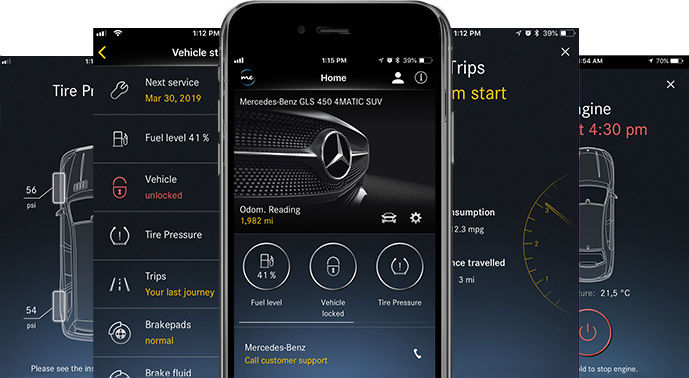
Get up-to-the-minute vehicle data, including mileage, fuel level, tire pressure and more.


Explore Other In-App and In-Vehicle Features
Unlock even more complimentary features through the Mercedes-Benz Store.
Explore the Mercedes-Benz Store


Online Music
Thanks to Online Music, you can stream your favorite music directly through your vehicle’s infotainment system. Access popular streaming services and enjoy high-quality audio on every drive.


Live Traffic Information
Get real-time traffic updates and route optimization to help you avoid delays and reach your destination efficiently.

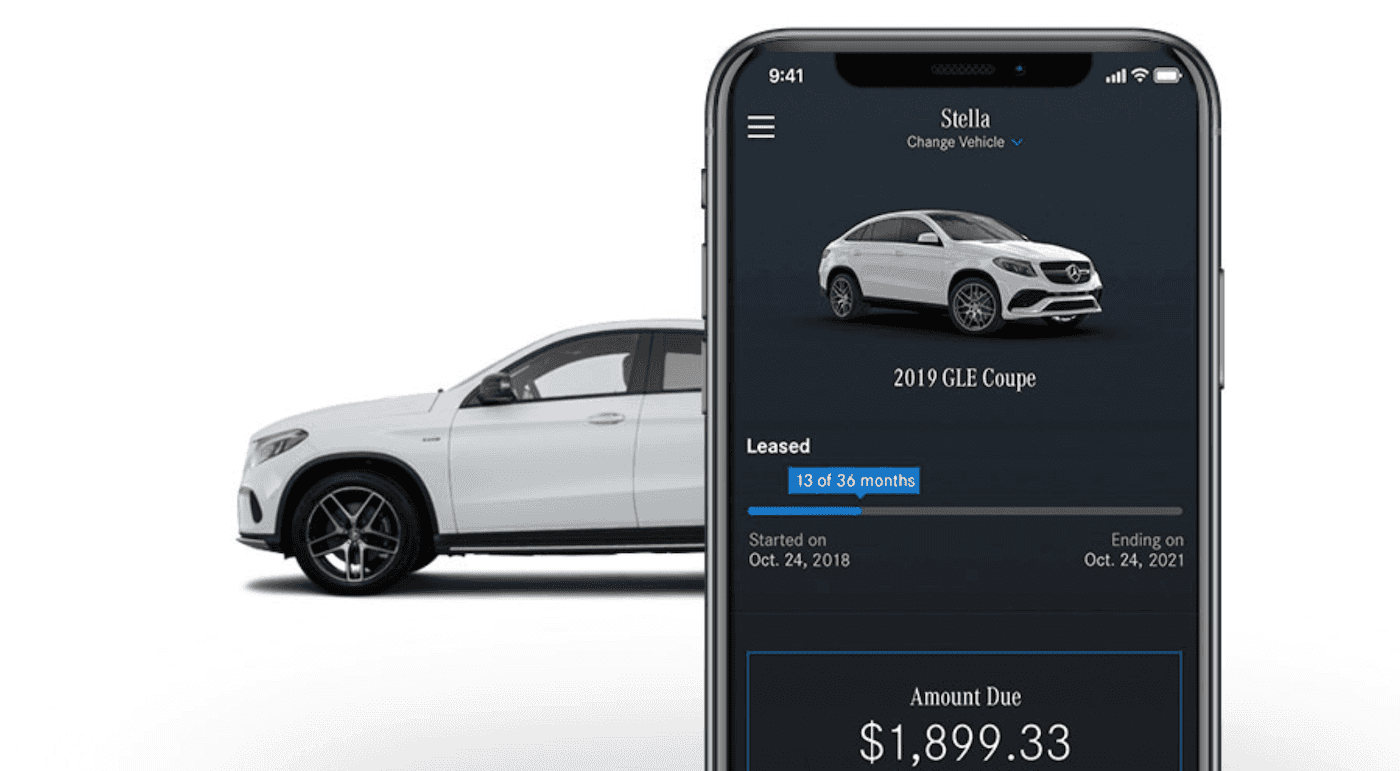
Find Charging Stations
Locate nearby charging stations with real-time availability and pricing information. Plan your route with confidence knowing where you can charge along the way.


Smart Charging
Schedule charging during off-peak hours to save money and reduce environmental impact. Set departure times and let your vehicle optimize charging automatically.


Premium Digital Services
Enhance your Mercedes-Benz experience with premium digital services available through the Mercedes-Benz Store. Upgrade your vehicle’s capabilities with software-based features.
Activation
Getting started with the Mercedes-Benz app is simple. Follow these steps to activate your connected services and begin enjoying the convenience of remote vehicle access.


Download the Mercedes-Benz app
Download the Mercedes-Benz app from the App Store or Google Play Store. The app is free and compatible with most smartphones.


Create your Mercedes me account
Register for a Mercedes me account or sign in with your existing credentials. This account will be your gateway to all Mercedes-Benz digital services.
Additional Resources
Explore more ways to enhance your Mercedes-Benz ownership experience with these helpful resources and services.


Customer Support
Need help with your Mercedes-Benz app? Our customer support team is here to assist you with setup, troubleshooting, and any questions you may have.

User Guide
Access comprehensive documentation and tutorials to help you make the most of your Mercedes-Benz app features and connected services.
Frequently Asked Questions
Find answers to common questions about the Mercedes-Benz app and connected services.
The Mercedes-Benz app is compatible with iOS devices running iOS 14.0 or later and Android devices running Android 8.0 or later. The app is optimized for smartphones and tablets.
To activate connected services, download the Mercedes-Benz app, create a Mercedes me account, and follow the in-app instructions to connect your vehicle. You’ll need your vehicle’s VIN and some basic information to complete the setup.
The Mercedes-Benz app is free to download and use. Many connected services come with a complimentary trial period. After the trial, some premium features may require a subscription through the Mercedes-Benz Store.
If you’re experiencing connectivity issues, first ensure your vehicle has an active cellular connection and that you’re using the latest version of the app. Try logging out and back in, or contact customer support for assistance.
Yes, you can connect multiple Mercedes-Benz vehicles to a single Mercedes me account. The app allows you to easily switch between vehicles and manage all your connected cars from one place.
